使用freessl.cn 域名自动续签
之前也是使用freessl.cn进行域名续签,但是不是自动续签,今天发现换了续签方式,记录一下
添加域名,进行DCV配置
添加要续签的域名,进行DCV配置,配置成功后就可以部署。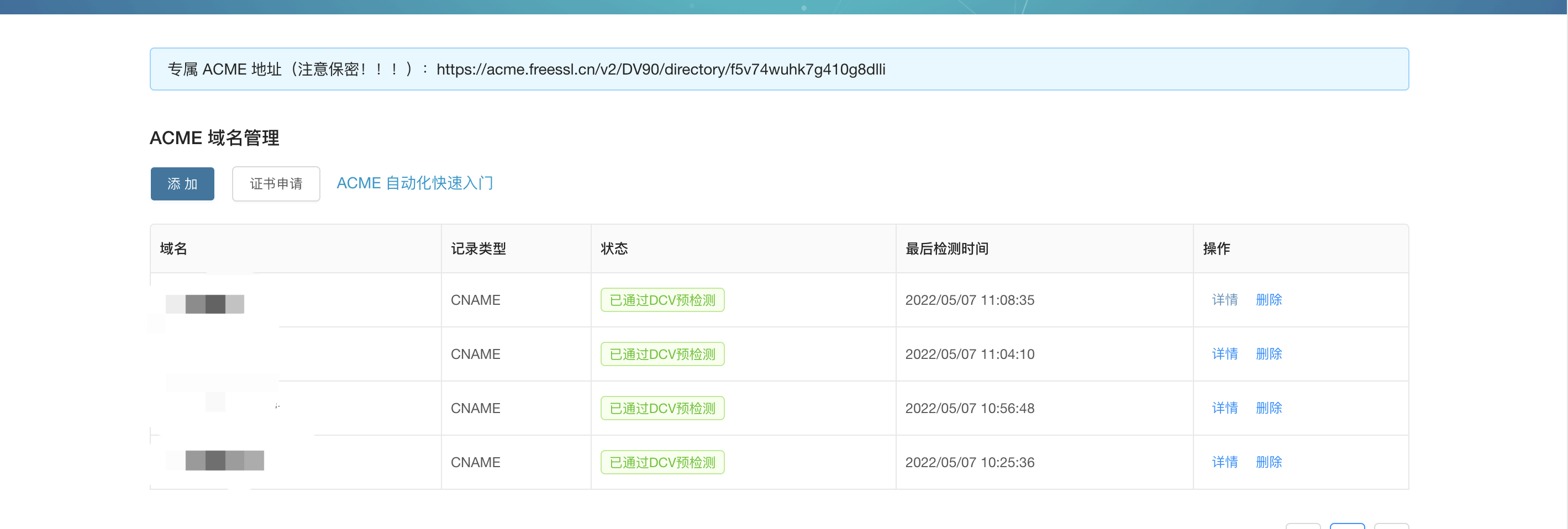
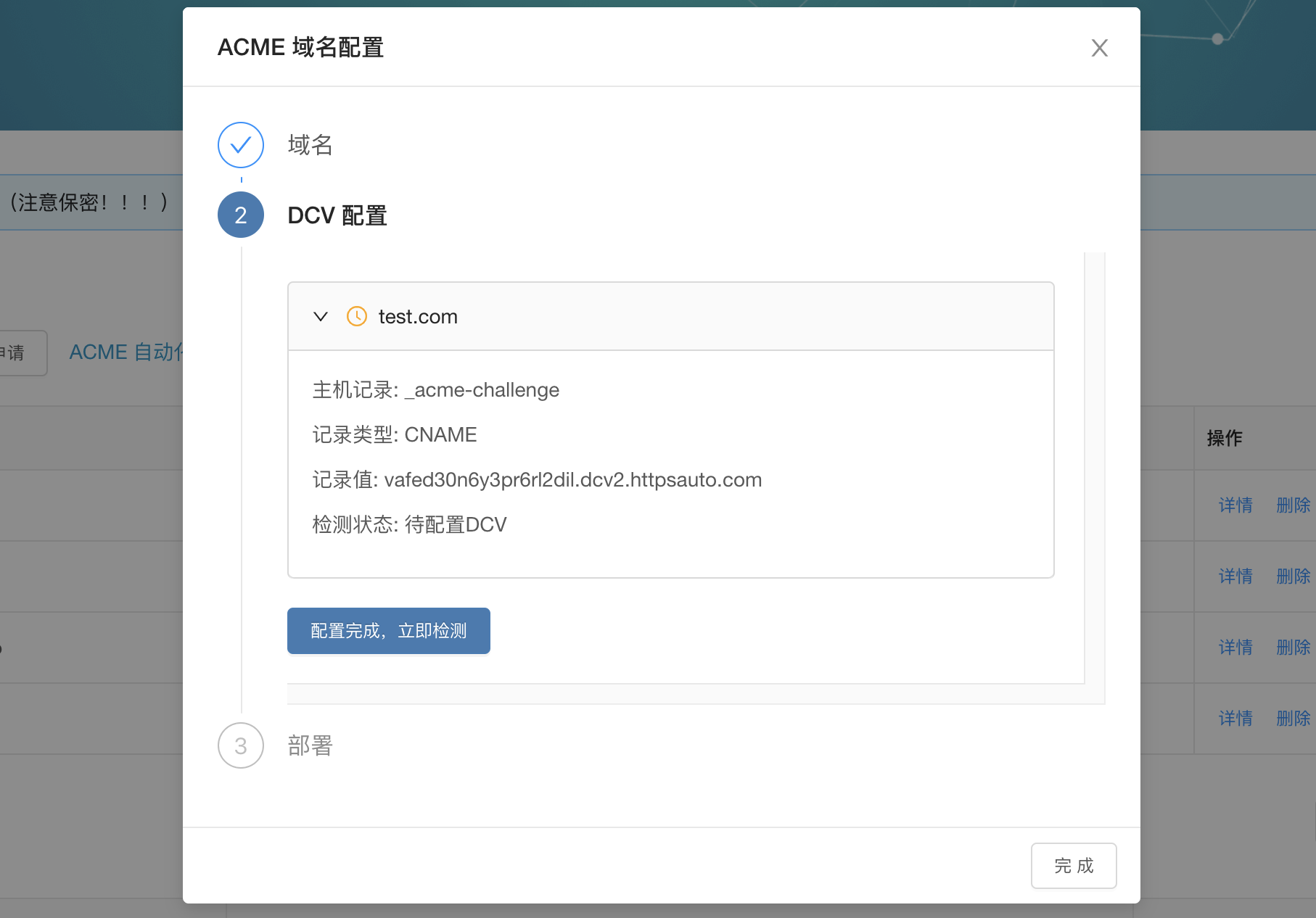

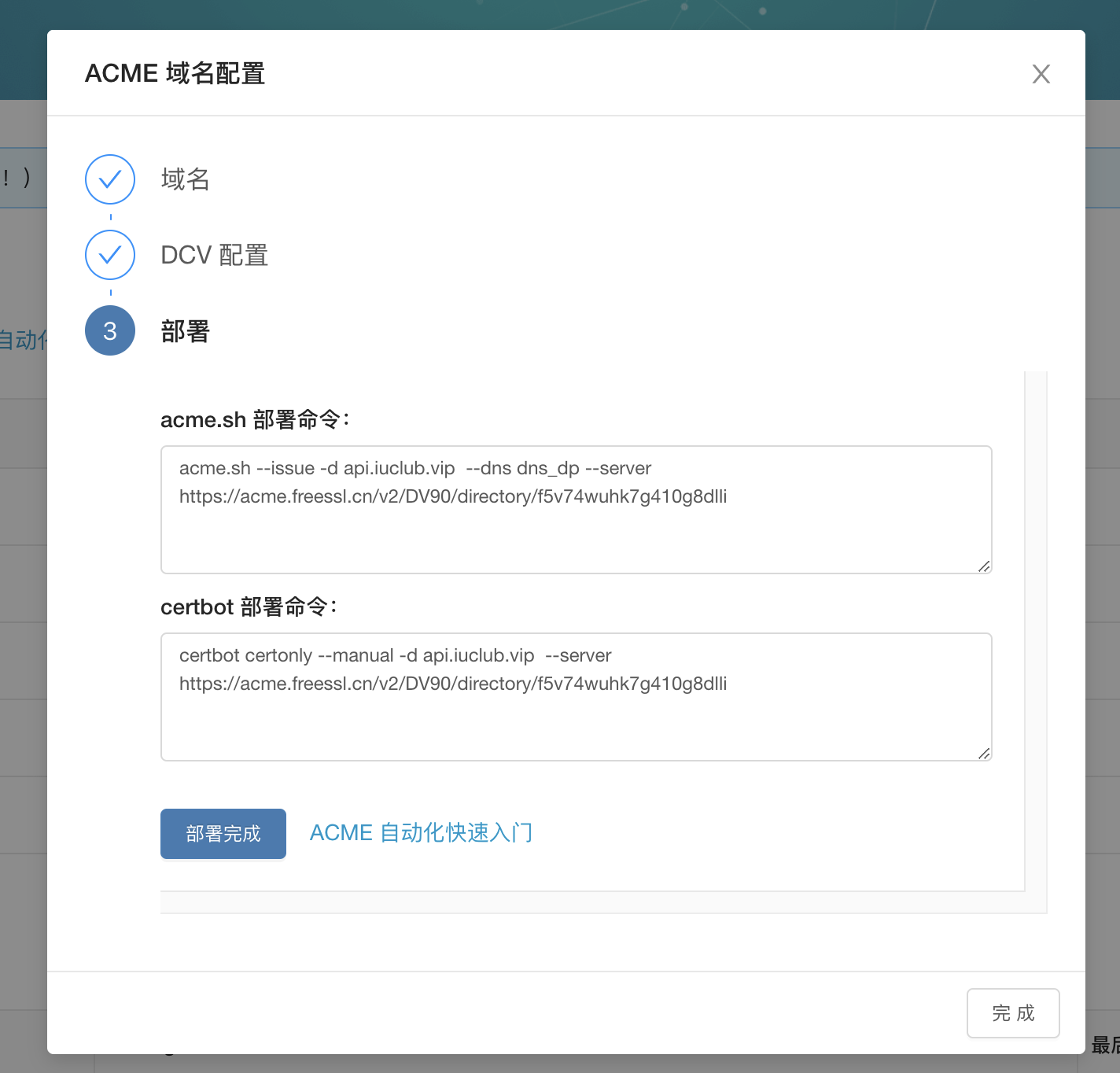
2 安装acme.sh 并部署
安装acme.sh
curl https://gitcode.net/cert/cn-acme.sh/-/raw/master/install.sh?inline=false | sh -s email=my@example.com
安装完之后需重新登录链接生效
部署命令
acme.sh --issue -d test.iuclub.vip --dns dns_dp --server https://acme.freessl.cn/v2/DV90/directory/f5v74wuhk7g410g8dlli
结果
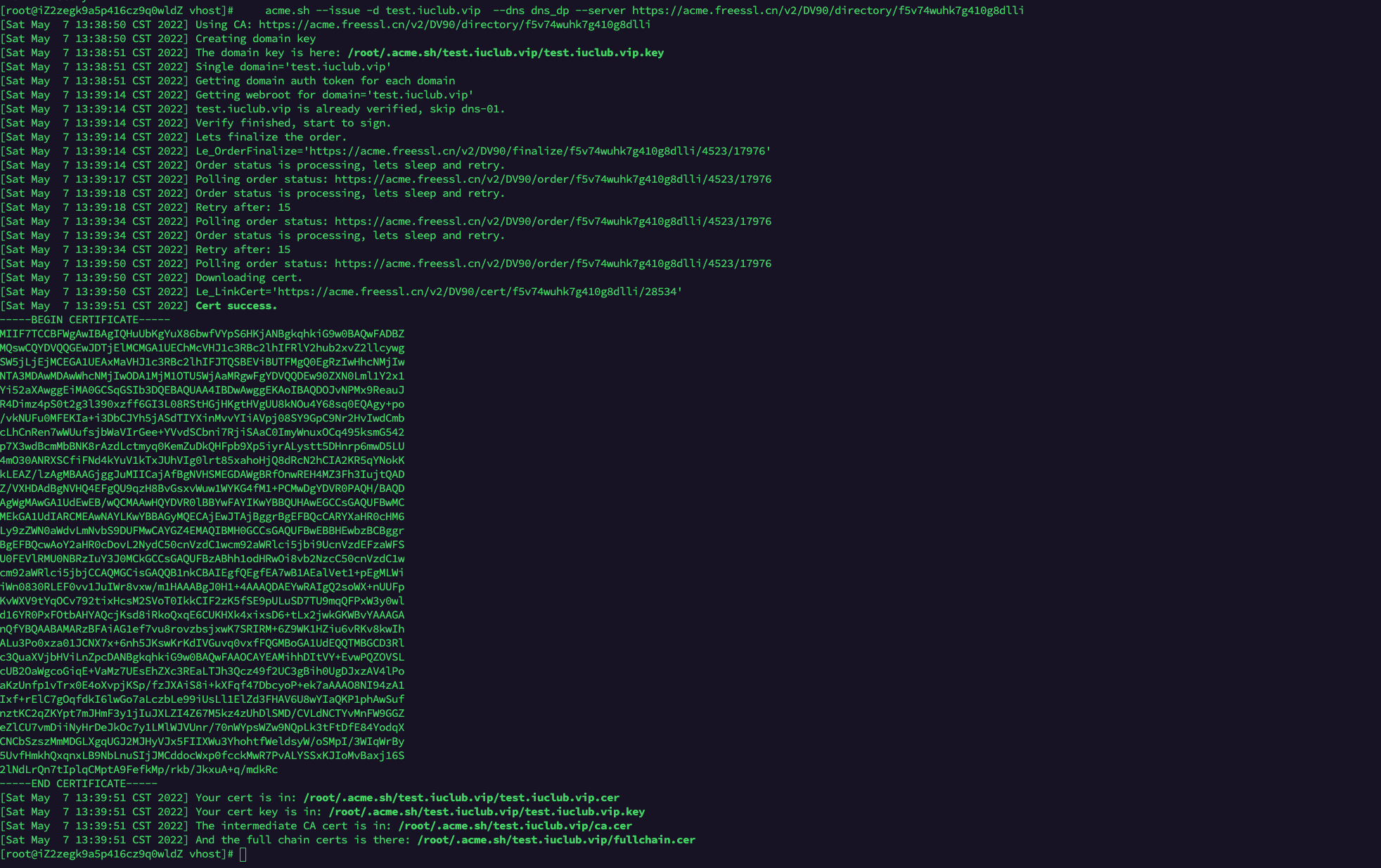
可以看到相关的文件已经生成到 /root/.acme.sh/test.iuclub.vip/文件夹下了
[root@iZ2zegk9a5p416cz9q0wldZ vhost]# cd  /root/.acme.sh/test.iuclub.vip/
[root@iZ2zegk9a5p416cz9q0wldZ test.iuclub.vip]# ls
ca.cer  fullchain.cer  test.iuclub.vip.cer  test.iuclub.vip.conf  test.iuclub.vip.csr  test.iuclub.vip.csr.conf  test.iuclub.vip.key
[root@iZ2zegk9a5p416cz9q0wldZ test.iuclub.vip]#
生成证书
acme.sh --install-cert -d test.iuclub.vip \
--cert-file      /usr/local/nginx/conf/ssl/jingxiaopu/test.iuclub.vip/cert.pem  \
--key-file       /usr/local/nginx/conf/ssl/jingxiaopu/test.iuclub.vip/key.pem  \
--fullchain-file /usr/local/nginx/conf/ssl/jingxiaopu/test.iuclub.vip/fullchain.pem \
结果
[Sat May  7 13:44:00 CST 2022] Installing cert to: /usr/local/nginx/conf/ssl/jingxiaopu/test.iuclub.vip/cert.pem
[Sat May  7 13:44:00 CST 2022] Installing key to: /usr/local/nginx/conf/ssl/jingxiaopu/test.iuclub.vip/key.pem
[Sat May  7 13:44:00 CST 2022] Installing full chain to: /usr/local/nginx/conf/ssl/jingxiaopu/test.iuclub.vip/fullchain.pem
此时证书相关的文件已经生成cert.pem、key.pem、fullchain.pem,配置到自己的host文件里就可以了
小程序空白的问题
证书配置完成后,小程序访问一直空白,因为小程序配置了安全域名,晚上反馈说是签名的问题,以下是解决方案:
配置的时候用fullchain.pem替换cert.pem就可以了。
评论测试Test